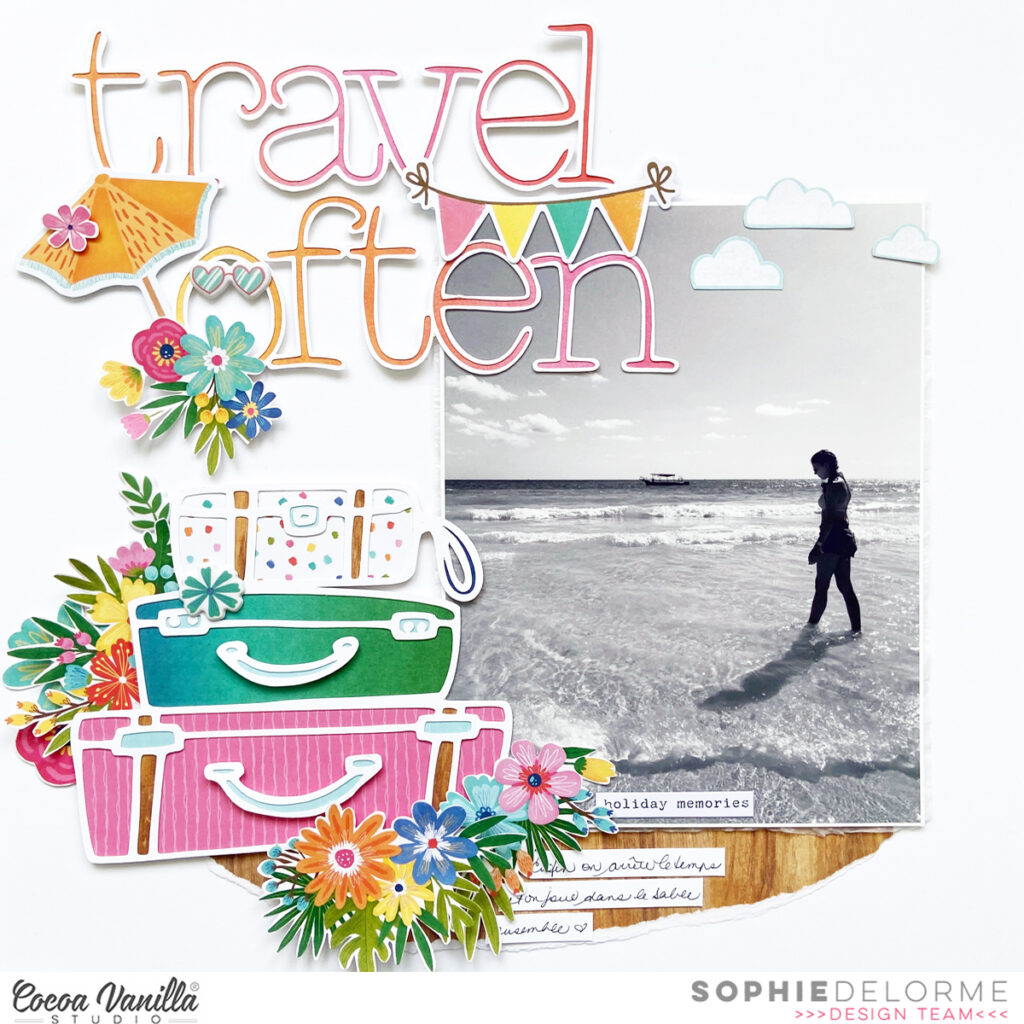
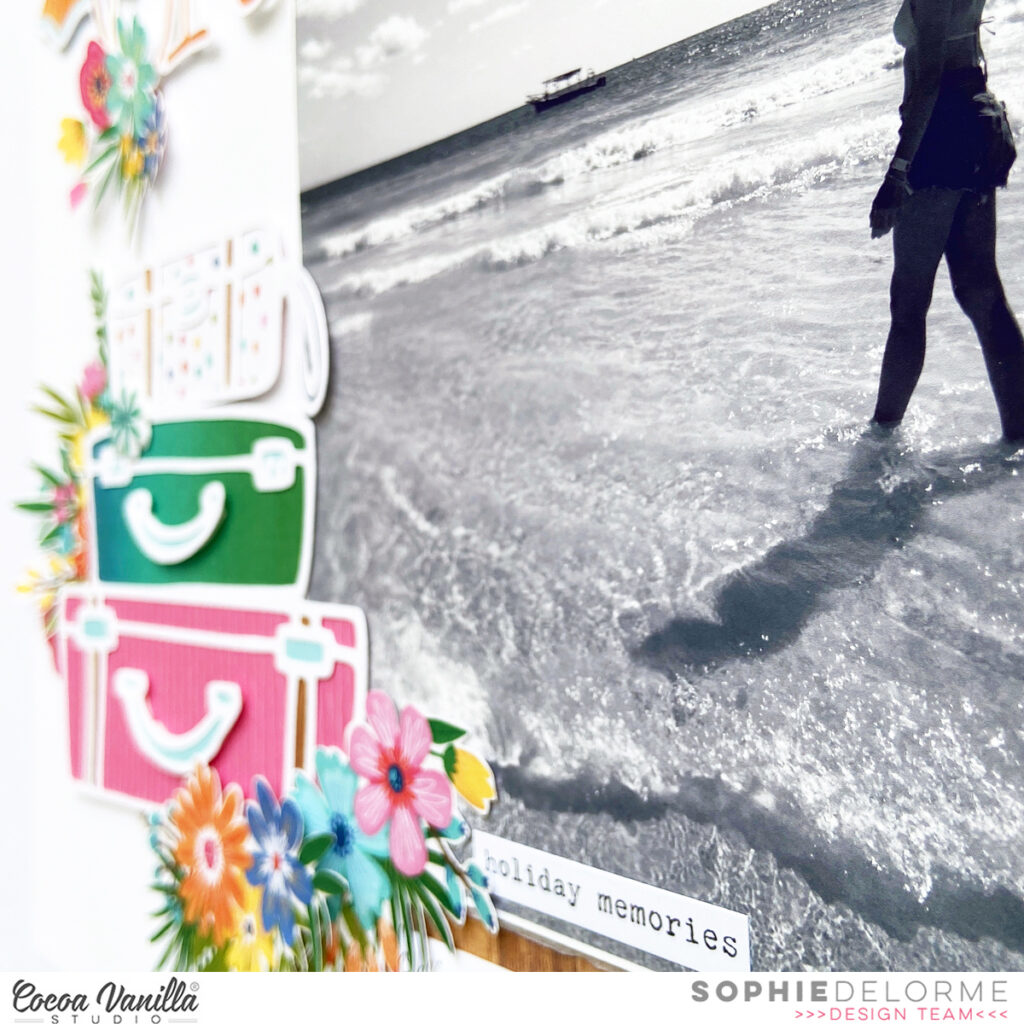
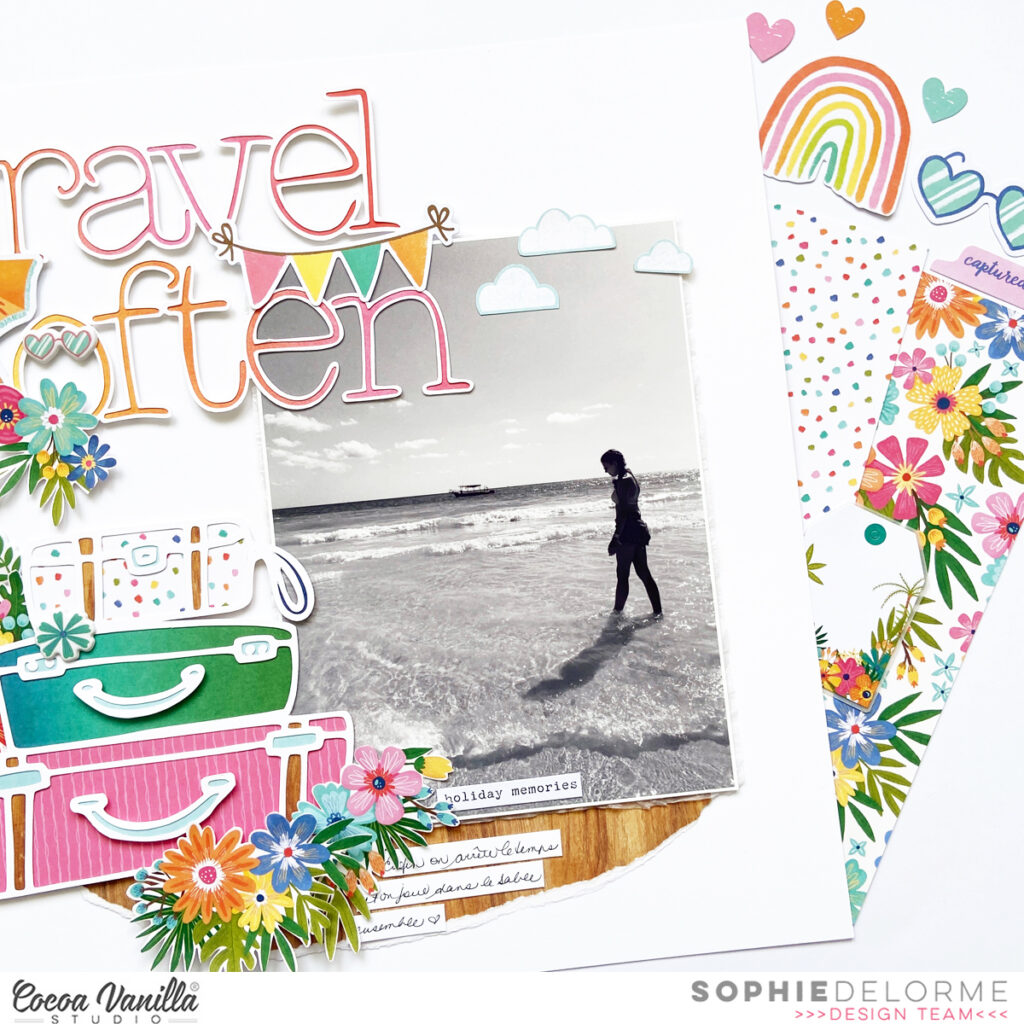
I decided to use a big black and white photo of my sweet Sabrina at the beach as the focus on the page. I layered it with tissue paper and foam adhesive, and placed it to the right of the page.
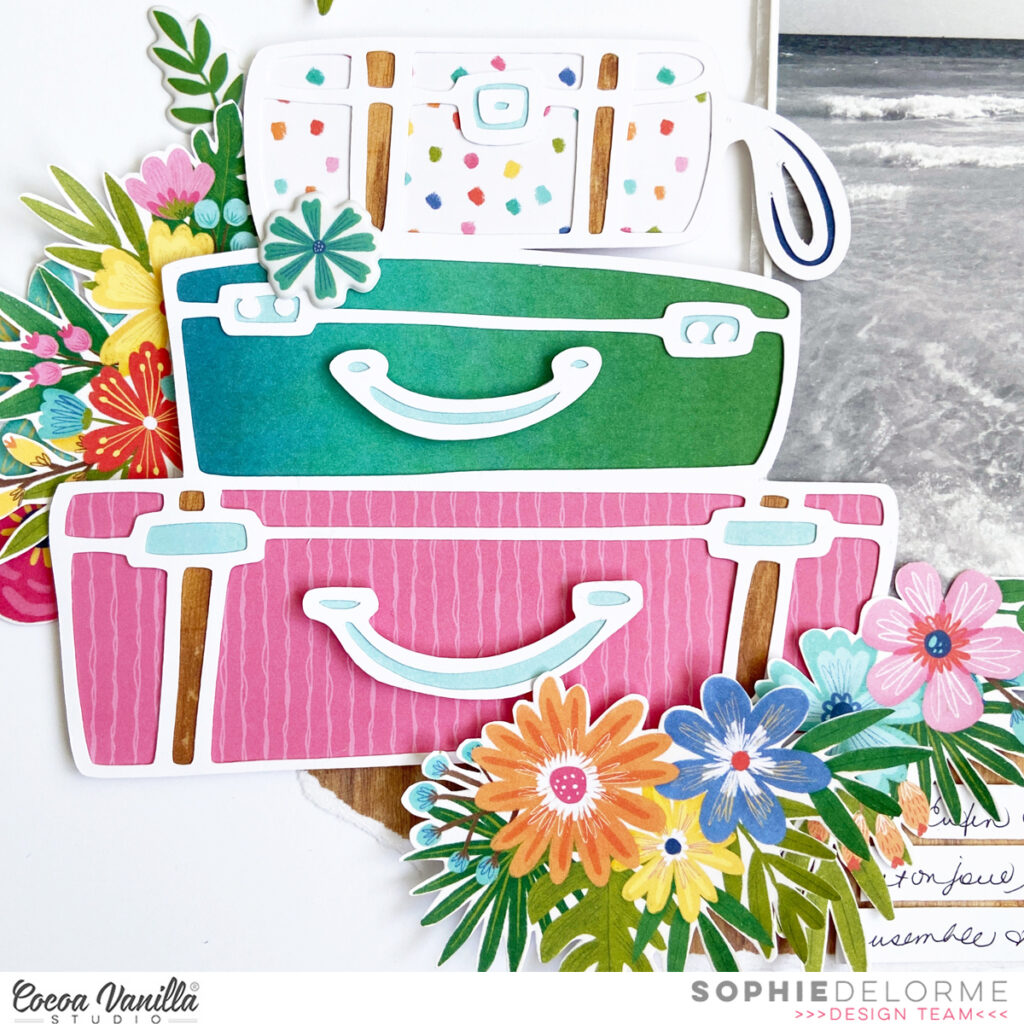
I used a cut file from JustNick Studio named “Travel often” for both my title and suitcases. I backed them with different patterned papers from the Sunkissed A5 paperpack.
I fussy cut beautiful florals from the “Growing Wild” paper and mixed them with floral die cuts arranged in clusters around the suitcases and title. I also added a lovely umbrella, a banner and a few fussy cut clouds to decorate the page.
I grounded everything on a teared piece of the “Just Chillin‘” paper.
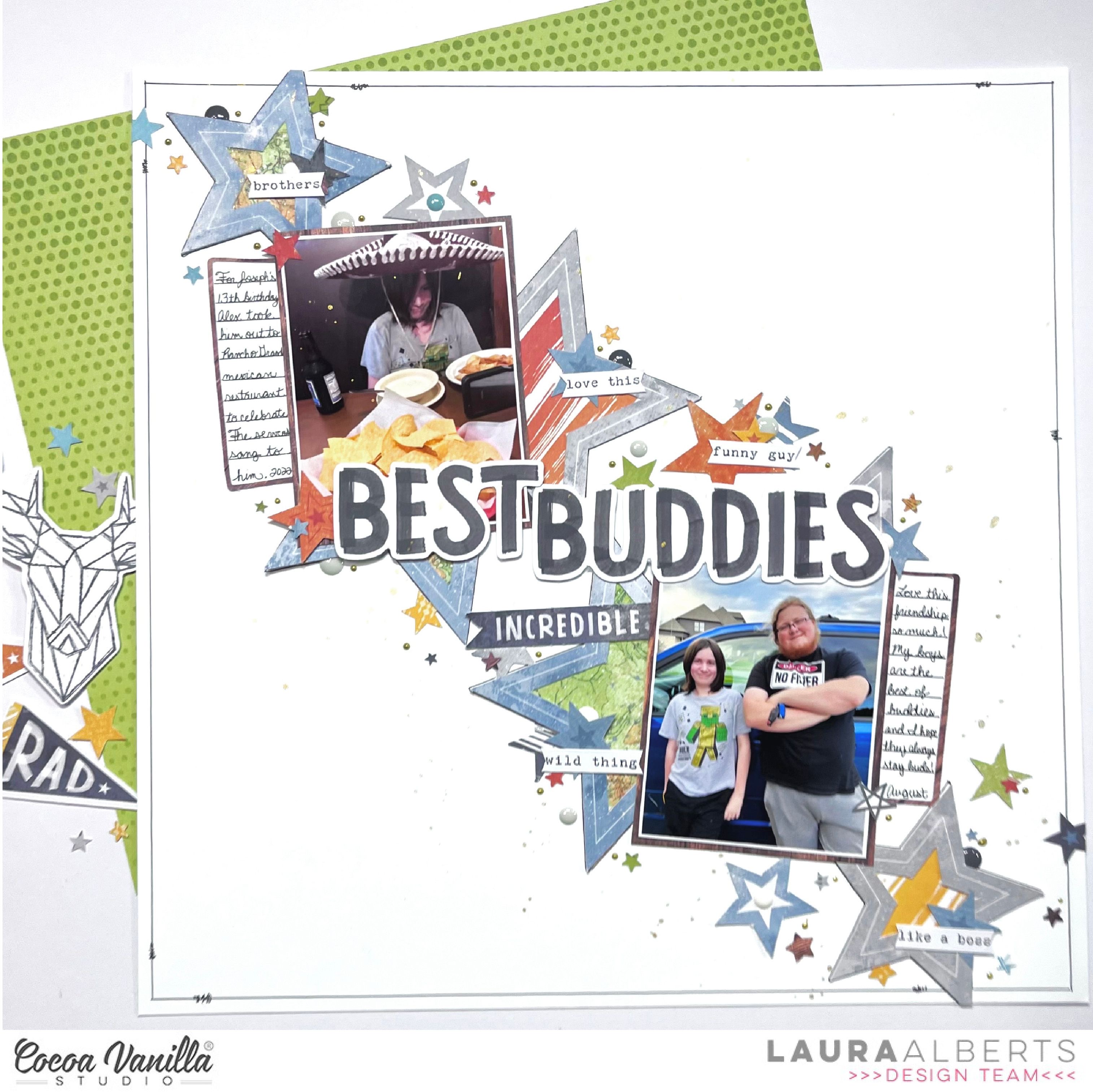
Hey y’all! Laura Alberts here again with a birthday layout using the lovely Legendary collection! I adore the masculine collections for my sons’ layouts and Legendary has a special place in my heart thanks to all of the stunning reds and blues! This layout focuses on using up scraps.
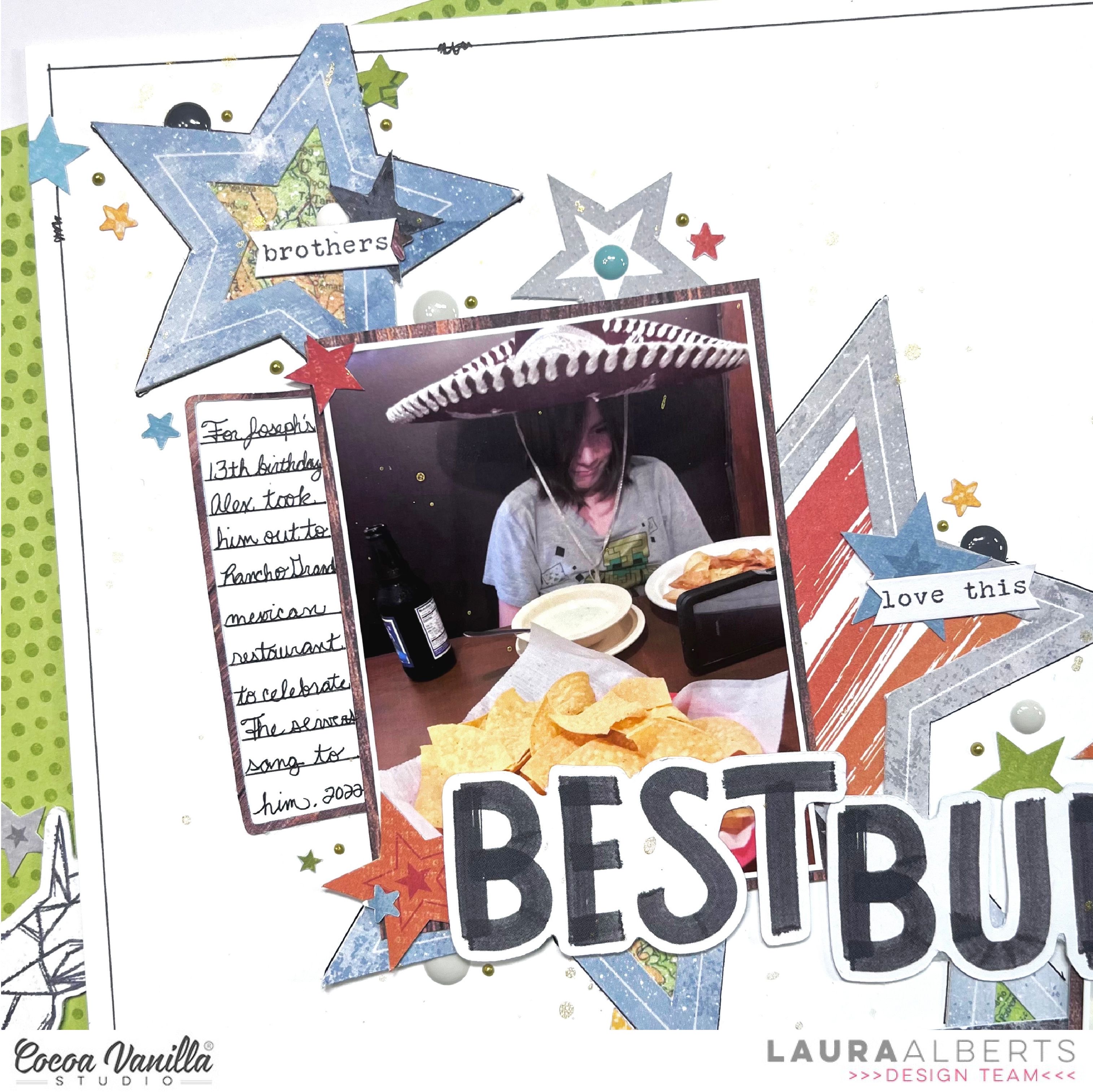
To create these journaling spots on either side of my photos, I used the inside of the woodgrain frame in the ephemera pack and cut it in half. Each side outlines an area that was perfect for a little bit of writing! Added to the fussy cut and punched stars I sprinkled all around the ephemera stars, it gives this layout a whimsical feel.
With word phrases from the accessories sticker sheet and enamel dots scattered around my clusters, this layout has a fun, light-hearted feel that fits my sons’ personalities perfectly.
I hope this layout inspires you to use up the scraps from your older collections! If you’d like to see how “Best Buddies” came together, check out the process video below:
Hello Paperlovers, Welcome to the Cocoa Vanilla blog today! Great to see you again on the blog where I explain more about my layout that I created with the amazing collection “No Limits“I love creating a background with ink. You can use almost any stamp ink for this technique. I often use Distress Oxide for mixed media background. For this mixed media background I used three different colors. I took a kitchen sponge and moisten the sponge. Then I applied the ink with a stamping motion to the white cardstock. I repeat this technique just as many times until I am happy with the mixed media background. For some extra demension, I applied a few splatters and used a water color brush.
I have used a cutfile by Paige Evans. I really love this gorgeous wreath so much. With my sewing machine I stitch the cutfile on top of the mixed media background circle.
I decorate the wreath cutfile with die-cuts, wooden buttons, word die-cuts and stars. I find decorating my layout to be one of the most fun things to do. I add a light blue stitch border to the large word die-cuts. I love stitching details in my projects and use my sewing machine quite a lot.
I cut the picture of the beautiful glaciers we went to last summer into a circle. I also choose orange patterned paper cut it into a circle and place it behind the photo. Then I add a stitch border to the circle edge.
For the title I chose different alphabet sets and created a title around the photo. When I make long titles I usually choose a circle so you have all the space you need.
I hope I was able to give you some great ideas and wish you lots of fun creating beautiful projects with this beautiful and colorful collection! I want to thank you for stopping by on the blog today!
Happy crafting and have fun!
Hello CVS friends. I am still crushing on the beautiful Storyteller collection! I love its versatility and that it works with most scrapbooking themes. Today I am sharing a layout of my middle boy and I.
I have used a free cut file by Paige Evans, love this heart so much. The striped paper is perfect to fill these hearts as you get the multi coloured effect. Once I had paper pieced the heart cut file I placed my photo so I could my way from there.
I used the heart paper from the A5 paper stack and added with foam tape. Next I used a chipboard floral bunch from the chipboard sticker sheet and tucked under the left side of my photo. I chose a sentiment phrase die cut from the die cut ephemera pack and directly under my photo with foam tape. To finish off I added a camera die cut and added a die cut button to the lens.
I used the chipboard title and added to the right of my photo slightly over the hearts cut file. To keep to the rule of three I added a butterfly wood epoxy button and two black foam hearts from the foam title stickers.
To add visual interest I added a chipboard banner and tucked a small floral die cut under it and then added a die cut button with foam tape.
This layout is simple but colourful! With these colours it makes it super easy to add coloured photos.
As always thanks for stopping by and see you again soon! Happy scrapping.
I am so happy to be here today with a brand new layout to share with you!
I used the Joyful collection for this page, paired with two cut files that I bought on the Silhouette Studio store. The cake stand is from Paige Evans and the title is from Jenny Highsmith.
I hand draw an uneven scalloped border on white cardstock and cut it with scissors. I centered the cardstock on the Advent patterned paper and stitched some French knots on it.
I backed the cake stand with different patterned papers from the Joyful collection, and used velum paper for the glass bell.
I printed my photo in black and white as the cake that I backed didn’t match de colors of the collection at all! It’s a good way to use whatever photo you want for a page, and softens the overall look.
I fussy cut plenty of beautiful florals out of the ‘Tis The Season paper, added Wood Buttons, a few labels and beautiful gold stars to finish it up!
Here are some close-ups:
I love the result! This collection is one of my favorites from Cocoa Vanilla! It’s a Christmas collection, but as you can see here, you sure can use it for any other occasion!
I hope that this was inspiring to you!
Thank you for stopping by, and have a great crafty day!
Hey y’all! Laura Alberts back again with a fun layout of my son’s university tour! I thought the colors in these photos were perfect for Storyteller and they worked really well together. I chose a column design because I had two landscape 3×4 photos and 1 portrait 3×4 photo. I find splitting up the two formats a little easier to scrap. The left-hand column has 4 journaling cards stacked one right after another, 2 to back my photos and 2 for journaling spots.
A multi-layered strip down the center gives the two columns defined areas and gives me a place for a little extra embellishing in the middle. I especially love these wood buttons with the epoxy in the middle! Such a fun way to add more dimension and texture to the page. On top and bottom of that button are round puffy stickers, then a few Nuvo drops for interest. At the bottom of this page, I collaged stickers and ephemera to make an embellishment cluster.
On the right side of the page, I combined this fun journaling card and my portrait photo for a mini-layout within a layout! This half of a frame tucked behind my photo reminded me of some of the architecture at the university and also created a landing place to build my cluster of embellishments on top of too. All in all, I used five journaling cards on this layout.
I hope this layout gives you inspiration for using your journaling cards on a layout to create a grid or just to add a little extra color! Be sure to check out the process video below to see how “The Best Story” came together!
It’s Tarrah back today to share a new scrapbook layout featuring the gorgeous Merry and Bright collection!
I just love creating Christmas layouts, what about you? I still have lots of the Merry and Bright collection and I also love to stash bust so I really enjoyed creating this layout!
I started by choosing my background paper – opting for the Star Bright paper. I then cut out a cut file from white cardstock. The cut file is from CUT to YOU and is called Stars Squared. Once the cut file was cut out, I struggled with the placement and design of my page so I cut up the cut file into separate pieces so I could place pieces of it where I wanted to. Do you ever do this? I do this a lot if I am struggling to like how a cut file looks on my page. There are no rules to say you have to use a cut file the way it was intended!
I backed all the stars of the cut file with papers from the Merry and Bright A5 paper stack, once it was all backed, I then placed foam adhesive to the underside of the cut file and adhered the cut file to the ‘Star Bright’ paper.
The photo I am documenting today was taken just this last Christmas of my 2 sons and my 2 beautiful nieces! My nieces were able to be here from England for this Christmas! It was wonderful to have them and it was the first Christmas we have had together with them! A very special memory to document. I layered one of the pocket cards and a cardstock frame from the ephemera pack under the photo and adhered it overlapping the cut file, in the centre of my layout. I also stapled a banner sticker from the accessory sticker sheet to the top left corner of the photo. My title is made up of a phrase sticker from the accessory sticker sheetoverlapping the word ‘Joy’ fussy cut out from the Season’s Greeting paper. It certainly was Christmas Morning Joy in our household!
To the left of the photo I also placed the Ho Ho Ho die-cut from the ephemera pack, a gorgeous flair button, a phrase sticker and a gold puffy star. In the top left I also placed that super cute Santa face die-cut from the ephemera pack and to balance that with the bottom right corner, I placed the sleigh, also from the ephemera pack.
To finish my layout, I added a few smaller embellishments like small die-cuts, stickers, another gold puffy star and completely finished the page with stamping the date stamp and sprinkling some gold Heidi shine. Once I had finished my layout, I then auditioned some papers to go behind the Star Bright one to act as a ‘frame’. I decided on the ‘B’ side of the ‘Joy to the World’ paper. I trimmed down the ‘Star Bright’ paper and adhered it to the ‘Joy to the World’ paper.
Thank you so much for stopping by the Cocoa Vanilla blog today! I hope you enjoyed reading about how I created my layout as much as I enjoyed creating it.
Do you have the Merry & Bright collection? I encourage you to pull it out and create some pretty things with it!
Hey Scrappy Friends, it’s Michelle back here today with a new layout to share with you all. This one was really fun to create as I was given the task to scrap-lift a layout of fellow DT Member Josephine. I’ve used the Storyteller Collection and a little mixed media to pull it all together to document a little trip down memory lane
Josephine’s layout which you will see below, has a season vibe with loads of florals, circular pieces for the main feature of the layout, a splattering of mixed media with a mixed font title. I used all of those elements within my layout but changed up the central piece to be a hexagon shape and documented a photo from a different season. Just a couple of minor changes, just to make it look a little different, while also staying true to the original so that you know I’ve scrap-lifted it.
Here’s the layout I chose for my inspiration…
I think I did a pretty decent job at recreating my own version of the layout, using different shapes for the main feature, while also tying in all the same elements around the entire layout. Here’s a closer look..
I added machine stitching around the hexagons before layering them together with the photo, adding foam for dimension between the layers. Both papers used for the hexagons are in the A5 paper stack – the Woodgrain for the larger and the blue spotfor the smaller.
I used the florals in the Floral Ephemera pack for the giant clusters either side of the hexagons, with the addition of some tiny fussy cut florals and other ephemera pieces from the main ephemera pack
on the bottom cluster I used all the same elements as the other cluster while also incorporating a fussy cut butterfly and sticker banner from the Accessory sticker sheet. I used a range of adhesives in both clusters to give different pops of dimension.
To create the title I dipped into my super old stash of barley there alphabet stickers, my favourite white alphas and one of the very first sets ever made in the woodgrain colour for the bottom word. I sewed through all the stickers to ensure they stay put for years to come, but also to enable me to give the white ones a little pop off the page by folding them up
Here’s a closer peek above too at the poor attempt at mixed media that I added to the layout lol there was more, but it got covered up
And one final look at the entire layout. Let me know how you think I went in scrap lifting Josephine’s page in the comments
Well that all from me today, thanks so much for stopping by. Be sure to share all the layouts you scrap lift of ours with us in the Cocoa Vanilla Studio Community Group on Facebook. We love to see what’s inspired you to create!
It’s Tarrah McLean back with you and today I am sharing a Christmas themed scrapbook layout with you featuring the gorgeous Merry and Bright collection from Cocoa Vanilla Studio. Do you like scrapbooking Christmas? I absolutely love it and would scrapbook using Christmas collections all year if I could!
I started my layout with a white cardstock base and decided to document a Snapchat photo of myself taken last Christmas Day, it goes perfectly with the Merry & Bright collection. I pulled out one of the frames from the ephemera pack and adhered it to my photo, I then added craft foam to the underneath of the photo. Before I adhered the photo to the white cardstock, I trimmed a piece of the woodgrain paper from the A5 paper stackand layered and adhered it underneath the photo, adhering the photo down on top.
I built my entire layout around the photo in the centre, choosing to leave lots of white space on this page. I tucked in some florals from the ephemera packon either side of the photo, bending the edges of the leaves and flowers to create some shadows on my page. On top of the floral cluster on the right, I adhered a gorgeous flair button on top and also added a heart from the ephemera packalso. Above the photo, I adhered the ‘Merry’ tab and from the accessory stickers, I placed the banner with the star in the top right of my photo.
At the bottom of my photo, I placed the ‘Merry Christmas’ sticker from the accessory sticker sheet and this became my title for the page also. I also placed the rectangle journal spot sticker under the title sticker. Once I was happy with the centre cluster that is the main focus of my layout, I started to add some details to the top and bottom of the page. I cut out a strip of the pink, red and white stripe paper for both the top and bottom, I also scalloped the edge of a piece of the green check paper and adhered that piece at the top. I added some ephemera pieces, a banner sticker and one of the gorgeous gold stars also.
On the bottom edge, I added some more ephemera pieces and another gorgeous gold star also. Some of the smaller and last details I added were the small phrase stickers, the date stamp and splattered some gold Heidi Shine around my page also. I love how the gold Heidi shine looks against the white and also how some of it has landed on the holly leaves as well. Once I was happy with my final layout on the white cardstock, I then trimmed down the white cardstock and adhered it to the coral 12′ x 12′ patterned paper from the collection.
Thank you so much for stopping by the Cocoa Vanilla blog today! I hope you enjoyed reading about how I created my layout as much as I enjoyed creating it.
Do you have the Merry & Bright collection? I encourage you to pull it out and create some pretty things with it!
Wishing you all a very Merry Christmas and a safe, happy and healthy new year.
Hey y’all! Laura Alberts here again with a fun boy layout using a Throwback Thursday collection…Boys Rule! I adore this collection and the mix of colors and patterns that make it so versatile to use! Scrapping these photos of my oldest getting his driver’s license was so much fun! I paired a Paige Evans’ cut file called ‘Travel Words’ with the bright bold colors in the A5 paper pad.
To give the cut file a bit of pop, I layered it on top of the gorgeous gray background in this collection. I added a word phrase in front of each of the O’s in the long title. My photos on the other hand are the star of the show! I made sure to layer a few frames around the perimeter of my layout. Love this look!
I kept my embellishing fairly simple on this one because the large title doesn’t need it! A few small clusters around my photos that utilize ephemera pieces.
I hope this layout inspires you to give cut files a go, if you haven’t already, and then break out your paper frames! Be sure to check out the video below to see how Go Fly came together!



























 I especially love these wood buttons with the epoxy in the middle! Such a fun way to add more dimension and texture to the page. On top and bottom of that button are round puffy stickers, then a few Nuvo drops for interest. At the bottom of this page, I collaged stickers and ephemera to make an embellishment cluster.



 The photo I am documenting today was taken just this last Christmas of my 2 sons and my 2 beautiful nieces! My nieces were able to be here from England for this Christmas! It was wonderful to have them and it was the first Christmas we have had together with them! A very special memory to document. I layered one of the pocket cards and a cardstock frame from the ephemera pack under the photo and adhered it overlapping the cut file, in the centre of my layout. I also stapled a banner sticker from the accessory sticker sheet to the top left corner of the photo. My title is made up of a phrase sticker from the accessory sticker sheet overlapping the word ‘Joy’ fussy cut out from the Season’s Greeting paper. It certainly was Christmas Morning Joy in our household!



 Josephine’s layout which you will see below, has a season vibe with loads of florals, circular pieces for the main feature of the layout, a splattering of mixed media with a mixed font title. I used all of those elements within my layout but changed up the central piece to be a hexagon shape and documented a photo from a different season. Just a couple of minor changes, just to make it look a little different, while also staying true to the original so that you know I’ve scrap-lifted it.